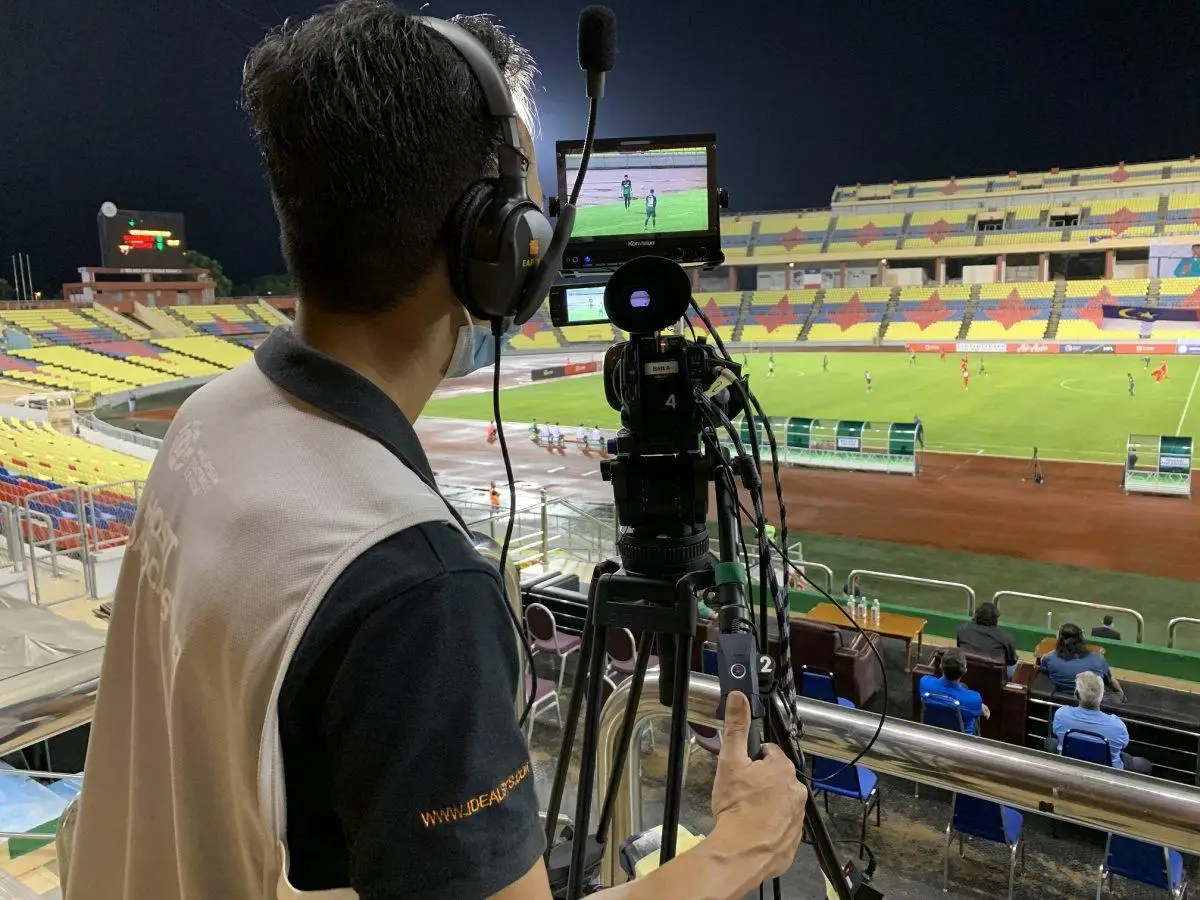
Live streaming has become an important part of sports events, corporate programs, school functions, product launches, weddings, religious events and social media marketing. But a professional live stream requires more than just a camera—it needs reliable connectivity, good image quality, continuous operation and an easy production workflow.
The Hollyland VenusLiv V2 is designed specifically for this type of live-streaming environment. It combines a 4K camera, direct RTMP streaming, HDMI output, USB-C UVC streaming, Ethernet connectivity and several production features in one compact camera.
What is Hollyland VenusLiv V2?
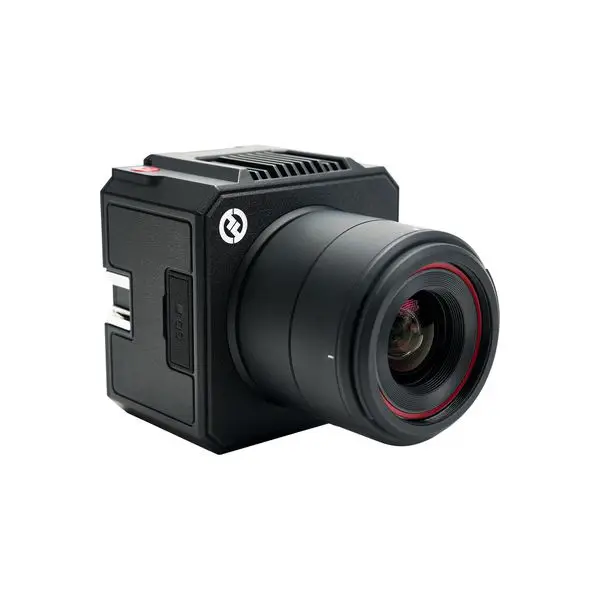
The Hollyland VenusLiv V2 is a dedicated live-streaming camera that can stream directly to supported platforms through RTMP without necessarily requiring a separate computer-based streaming setup.
It supports 4K recording/streaming at up to 30fps, 6× zoom, fast hybrid autofocus, Wi-Fi and Ethernet connectivity, and both horizontal and vertical output.
This makes it particularly interesting for businesses and event production teams that need a simple but professional live-streaming workflow.
8 Major Advantages of Hollyland VenusLiv V2
1. Direct RTMP Live Streaming
One of the biggest advantages is the ability to stream directly from the camera using RTMP.
You can enter the streaming URL and stream key provided by your platform, save the settings and start streaming directly from the camera.
This can reduce the amount of equipment required for a basic single-camera livestream.
Useful for:
- YouTube Live
- Facebook Live
- Custom RTMP platforms
- Corporate streaming platforms
- Event streaming
The camera can also stream to two platforms simultaneously through RTMP, according to Hollyland.
2. 4K Live Streaming
For professional event production, image quality matters.
The VenusLiv V2 supports up to 4K 30fps RTMP output, while HDMI and USB/UVC connectivity provide additional options for integrating the camera into a production setup.
This can be useful when you want a high-quality feed for:
- Sports events
- Conferences
- Interviews
- Product demonstrations
- Educational programs
- Corporate events
3. 6× Zoom for Better Subject Framing
The VenusLiv V2 provides 6× zoom, combining 3× optical zoom with 2× digital zoom.
This is particularly useful when the camera is positioned some distance away from the subject.
For example, during a sports event, you can frame the athlete more tightly without physically moving the camera.
For sports livestreaming, however, the camera’s 6× zoom should be considered alongside the venue size and required shooting distance—you may still need a dedicated long-lens camera for very large stadiums.
4. Ethernet for More Stable Streaming
Wi-Fi is convenient, but wired Ethernet can be preferable when reliability is important.
The VenusLiv V2 includes a 1Gbps Ethernet port, in addition to dual-band Wi-Fi.
For an event livestream, a typical professional setup could therefore be:
VenusLiv V2 → Ethernet → Router/Internet → RTMP Platform
This can help avoid some of the instability associated with relying entirely on wireless connectivity.
5. No Separate Capture Card Required for USB Streaming
Another useful feature is USB-C UVC streaming.
The camera can connect directly to a computer and appear as a video source for compatible streaming software. Hollyland states that the camera integrates capture-card functionality for UVC streaming.
This can simplify setups using:
- OBS Studio
- Streaming laptops
- Video conferencing
- Online classes
- Webinars
- Hybrid events
So instead of:
Camera → HDMI → Capture Card → Computer
you can potentially use:
VenusLiv V2 → USB-C → Computer
6. HDMI Output for Professional Production
If you’re building a more advanced multi-camera setup, HDMI becomes extremely useful.
The VenusLiv V2 provides HDMI output that can connect to a:
- Video switcher
- Capture device
- External monitor
- Production system
- Broadcasting workstation
Hollyland’s specifications list HDMI output up to 4K resolution depending on the output mode.
This means the VenusLiv V2 isn’t restricted to direct streaming—you can also integrate it into a larger live production workflow.
7. Built-In Production Features
The VenusLiv V2 isn’t simply a camera that sends video to the internet.
It includes features such as:
- Green-screen background removal
- Image overlays
- Motion graphics/overlay presets
- Preset lighting modes
- Colour adjustment
- Custom scenes
- 5-inch rotatable touchscreen
These features can reduce the need for additional production equipment for certain livestreams.
For example, a business livestream could display its logo, promotional graphics or information overlays directly during the broadcast.
8. Designed for Long Streaming Sessions
For events lasting several hours, overheating and power management are important considerations.
Hollyland says the VenusLiv V2 uses an advanced heat-dissipation system and supports both NP-F batteries and DC power. The company states that an NP-F970 battery can provide approximately 4–6 hours of continuous streaming, depending on conditions.
For professional events, continuous DC power is generally the better approach when mains power is available.
VenusLiv V2 for Sports Live Streaming
This is where the VenusLiv V2 can become particularly interesting.
Imagine a school or athletics event:
Camera → Ethernet → Internet → YouTube/Facebook Live
The operator can frame the track, use the zoom to follow action and send the live feed directly to the streaming platform.
For a more advanced production:
Multiple VenusLiv V2 Cameras
↓
HDMI / Video Switcher
↓
Streaming Computer / Encoder
↓
YouTube Live
This allows different camera angles such as:
- Wide stadium shot
- Start-line camera
- Finish-line camera
- Athlete close-up
- Interview camera
- Presentation/medal ceremony camera
The VenusLiv V2 can therefore work as either a standalone streaming camera or part of a larger production system.
VenusLiv V2 for Corporate & Event Streaming
Businesses can use the camera for:
Corporate Events
Stream conferences, seminars and business meetings.
School & College Events
Stream annual days, sports meets and cultural programs.
Product Launches
Show products with close-up shots and graphics.
Live Shopping
Demonstrate products while interacting with customers.
Interviews
Create professional live interviews without a complicated studio setup.
Social Media Live
Create landscape or portrait livestreams depending on the platform and audience.
Audio Connectivity
Video quality alone isn’t enough for a professional livestream.
The VenusLiv V2 provides USB-C audio support, 3.5mm audio input and compatibility with Hollyland wireless microphone systems.
This gives you options for:
Wireless microphone → VenusLiv V2 → Live stream
or
Audio mixer → VenusLiv V2 → Live stream
For larger events, connecting the venue’s audio mixer can be particularly useful.
VenusLiv V2 vs Traditional Live Streaming Setup
| Traditional Setup | VenusLiv V2 |
|---|---|
| Camera | Integrated camera |
| Capture card | Can use UVC directly |
| Streaming computer | Optional for direct RTMP |
| Ethernet | Built-in |
| Wi-Fi | Built-in |
| RTMP | Built-in |
| HDMI | Yes |
| Zoom | 6× |
| Overlays | Built-in |
| Green screen | Built-in |
| Vertical streaming | Supported |
| Long-duration operation | Designed for extended streaming |
The biggest advantage isn’t necessarily that the VenusLiv V2 replaces every piece of professional broadcast equipment. Rather, it can significantly simplify smaller and medium-sized livestream productions.
Is Hollyland VenusLiv V2 Good for Professional Live Streaming?
Yes—especially when you want a compact camera that can operate independently or integrate into a larger production setup.
Its strongest advantages are:
4K30 streaming + direct RTMP + Ethernet + HDMI + USB UVC + 6× zoom + built-in overlays + long-duration operation.
For a single-camera event, direct RTMP can make the setup considerably simpler.
For a multi-camera event, HDMI and UVC connectivity allow the camera to become part of a more traditional production workflow.
Recommended Setup for Event Live Streaming
For a professional event service, a practical setup could be:
Camera 1: Wide-angle event coverage
Camera 2: VenusLiv V2 for close-up/zoom
Camera 3: Presenter/interview camera
↓
HDMI Video Switcher
↓
Streaming PC / Encoder
↓
YouTube / Facebook / Custom RTMP
For smaller events:
VenusLiv V2 → Ethernet → Internet → YouTube/Facebook
This is where the VenusLiv V2 becomes particularly attractive: you can start simple and scale the production when the event requires it.
Final Verdict
The Hollyland VenusLiv V2 is a strong option for creators, businesses and event-production companies looking for a dedicated livestreaming camera rather than a conventional camera + capture card + complicated streaming setup.
Its combination of direct RTMP streaming, 4K video, 6× zoom, Ethernet, HDMI, USB UVC, built-in overlays, green screen and extended streaming capability makes it suitable for a wide range of applications.
For sports events, school functions, corporate events, product launches and social-media livestreams, it can provide a flexible middle ground between a simple webcam setup and a full broadcast production system.