How to Create Professional Aerial Videos with DJI Drones
Cinematic Drone Moves .A drone can do much more than simply fly high and record a beautiful view. When the aircraft, camera, gimbal and pilot work together, a simple aerial shot can become a cinematic visual story.
At MyDigitalBrand, we use controlled drone movements to create professional aerial content for real estate, commercial advertisements, hotels and resorts, construction projects, industrial locations, sports events and promotional videos.
Whether you are using a DJI Mini, DJI Air series or DJI Mavic series, the key to cinematic footage is not simply the drone you own. The real difference comes from how the drone moves, how the camera is framed and why the movement is being used.
DJI itself recommends cinematic movement techniques designed to make drone footage smoother and more visually engaging. DJI’s Cine mode also reduces flight speed and makes braking and rotation more gradual, which is particularly useful when capturing video.
Cinematic Drone Moves
A cinematic drone shot isn’t necessarily a complicated shot.
The best aerial footage usually has:
- A clear subject
- Controlled and smooth movement
- Good composition
- Appropriate camera angle
- Foreground, middle-ground and background separation
- Consistent exposure and white balance
- A beginning and ending point
- A purpose within the overall video
For example, flying randomly around a property may produce attractive footage, but a slow pull-back that starts at the entrance and gradually reveals the entire property tells a much stronger visual story.
The objective is not to show how aggressively the drone can fly. The objective is to make the viewer feel the scale, location and importance of the subject.
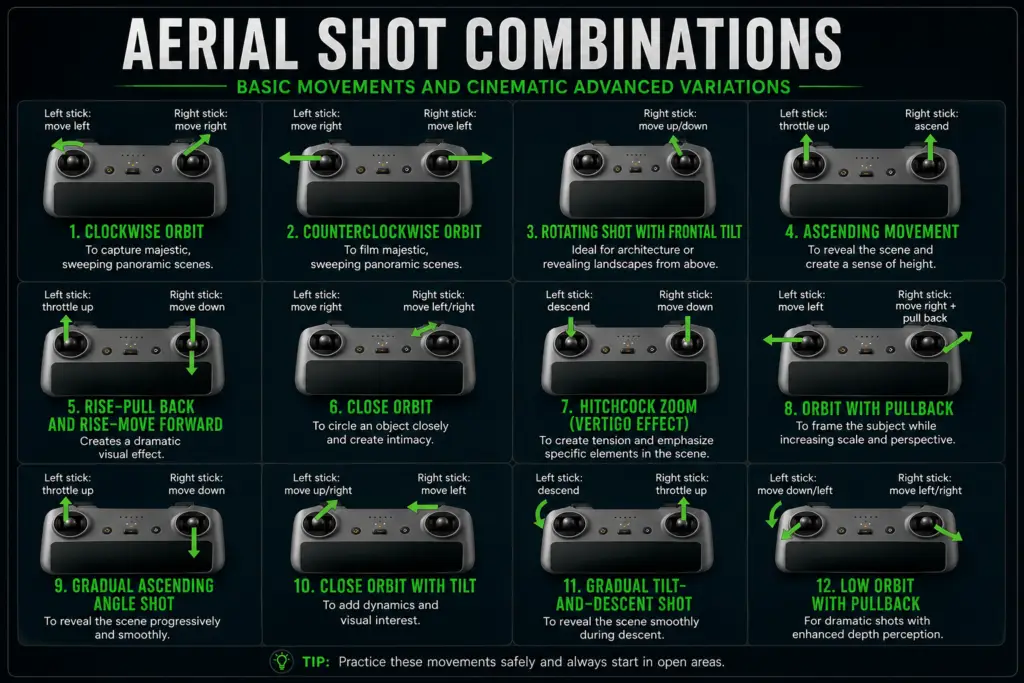
12 Cinematic DJI Drone Moves Every Aerial Videographer Should Know
The following movements are useful across DJI camera drones and can be adapted depending on the drone, location and subject.
1. Clockwise Orbit
An orbit is one of the most recognizable cinematic drone movements.
The drone circles around a subject while maintaining the subject in the frame.
Best for:
- Villas
- Individual houses
- Resorts
- Temples
- Commercial buildings
- Statues
- Large architectural structures
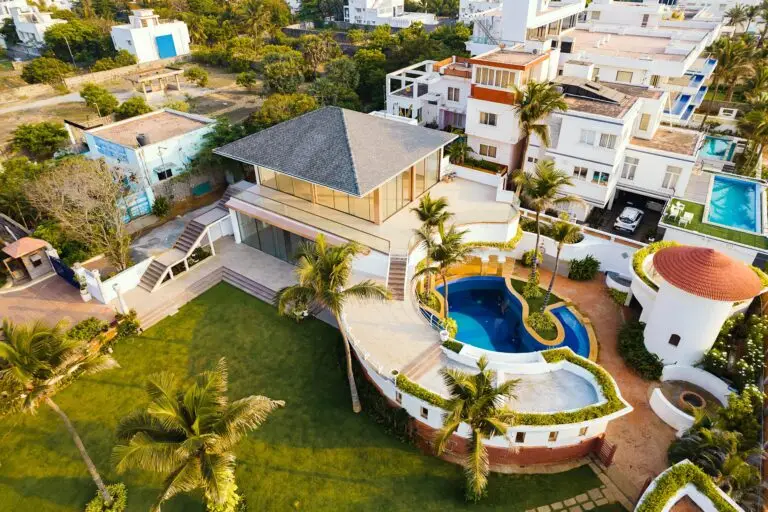
For real estate, an orbit can showcase the entire property while revealing the surrounding environment.
Cinematic effect:
The subject remains visually important while the background continuously changes.
2. Counter-Clockwise Orbit
This is the reverse of the clockwise orbit.
Changing the direction can make a significant difference when matching a shot to music or combining multiple aerial clips during editing.
You can also use different orbit directions to create transitions between properties or locations.
Pro tip: Keep the speed slow and consistent. Sudden changes in yaw speed can make the shot look amateurish.
3. Rotating Shot With Frontal Tilt
This movement combines horizontal rotation with controlled gimbal movement.
Instead of simply rotating around a subject, the camera gradually changes its viewing angle to reveal more of the environment.
Ideal for:
- Large buildings
- Landscapes
- Resorts
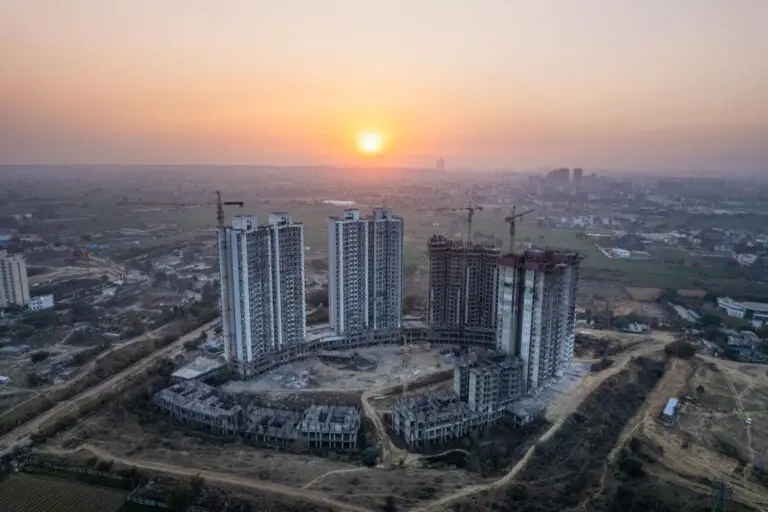
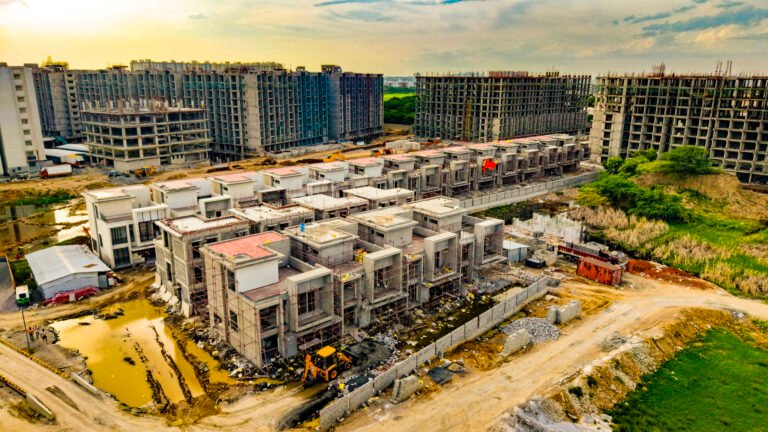
- Construction sites
- Farm land
- Large real estate developments
This type of movement can create a dramatic transition from a close architectural element to a wider aerial view.
4. Ascending Reveal
The drone starts relatively low and gradually ascends while maintaining a carefully composed frame.
As the drone rises, the viewer discovers more of the location.
Example:
Start behind a villa → slowly rise → reveal the complete property → reveal surrounding roads and neighbourhood.
This is particularly effective for real estate marketing videos.
Best applications:
Real Estate → Resorts → Schools → Industrial properties → Event venues → Farm land
A reveal shot gives the viewer a sense of scale and location.
5. Rise + Pull-Back
This is one of the most dramatic aerial movements.
The drone simultaneously:
- Moves backward
- Gains altitude
- Maintains the subject in the frame
The subject gradually becomes smaller while the surrounding environment becomes larger.
Example for a real estate project:
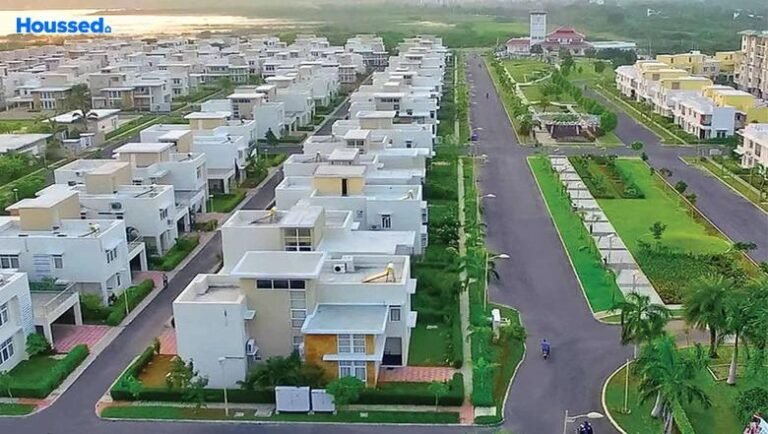
Start close to the entrance → pull backward → rise above the property → reveal roads, plots and surrounding development.
This is an excellent closing shot for a property advertisement.
6. Close Orbit
A close orbit keeps the drone relatively near the subject while smoothly circling around it.
Compared with a wide orbit, this produces much more visual intimacy.
Perfect for:
- Luxury villas
- Cars
- Architectural details
- Product installations
- Statues
- Event stages
The closer the drone gets, the more important obstacle awareness becomes. Always maintain an appropriate safety margin from people, structures, trees, cables and other obstacles.
7. Hitchcock Zoom / Vertigo-Style Effect
The Hitchcock or Vertigo-style effect combines drone movement with camera perspective changes to create a dramatic visual effect.
The traditional effect involves moving the camera while changing focal length so that the subject remains relatively similar in size while the background perspective changes.
On compatible DJI drones, different focal lengths can be used creatively for this type of visual effect. DJI notes that longer focal lengths can create strong parallax and compression, while also making smooth aircraft control more demanding.
Best for:
- Luxury real estate
- Dramatic landscapes
- Hero shots
- Film-style advertisements
- Automotive videos
This is an advanced technique and requires careful planning.
8. Orbit With Pull-Back
This combines two movements:
Orbit + backward movement
Instead of simply circling the subject, the drone gradually moves away while continuing the orbit.
The result is a shot that begins with the subject dominating the frame and ends with the environment becoming increasingly visible.
Perfect for:
- Property launch videos
- Resort advertisements
- Large construction projects
- Commercial buildings
- Wedding venues
This movement is especially useful when you want to transition from a subject-focused shot to an establishing shot.
9. Gradual Ascending Angle Shot
The drone gradually gains altitude while the camera maintains a carefully controlled angle.
Unlike a simple vertical rise, the objective is to progressively change the viewer’s perspective.
For example:
Building entrance → entire building → surrounding road → neighbourhood
This works extremely well for property marketing because it communicates both the property and its location.
10. Close Orbit With Tilt
This is an advanced variation of the orbit.
The drone moves around the subject while the gimbal gradually changes its angle.
The movement can start with the building dominating the frame and gradually reveal the sky or surrounding landscape.
Great for:
- Luxury villas
- Hotels
- Resorts
- Architectural projects
- Commercial buildings
The key is coordination. Avoid making the orbit and gimbal movement too fast.
11. Tilt + Descending Shot
The drone gradually descends while the camera angle changes.
This can create a beautiful transition from a wide aerial perspective to a more detailed view of the subject.
Example:
Start above a resort → slowly descend → tilt toward the swimming pool → finish on the main building.
This is particularly effective as a transition shot in hotel and resort promotional videos.
12. Low Orbit With Pull-Back
The drone begins relatively low and close to the subject and gradually pulls away while maintaining an orbiting movement.
This produces strong foreground and background separation.
DJI highlights the importance of creating layers within the frame, particularly when using longer focal lengths. Foreground elements can increase the sense of motion and parallax in an aerial shot.
Best for:
- Villas
- Luxury homes
- Resorts
- Farm properties
- Landscapes
- Commercial architecture
This can create a very premium look when performed smoothly.
Push-In and Pull-Out: Two More Essential Moves
Although the infographic above focuses on advanced combinations, two basic movements should be mastered before attempting complex combinations.
Push-In
The drone slowly flies toward the subject.
Purpose: Create focus and anticipation.
For example:
Empty road → villa appears → drone moves closer → villa becomes the hero of the shot.
Pull-Out
The drone slowly moves away from the subject.
Purpose: Reveal scale.
For example:
Start with the building → pull away → reveal the complete project → reveal the surrounding landscape.
These two movements are among the most useful techniques for commercial drone videography.
Side Tracking / Parallax Shot
The drone flies sideways while the camera remains focused on the subject.
This creates parallax.
A tree in the foreground may move rapidly across the frame while the building behind it appears to move more slowly.
This creates depth and makes the footage feel much more three-dimensional.
Perfect for:
- Real estate
- Cars
- Sports
- Resorts
- Roads
- Industrial facilities
Foreground objects such as trees, walls and buildings can significantly enhance the effect.
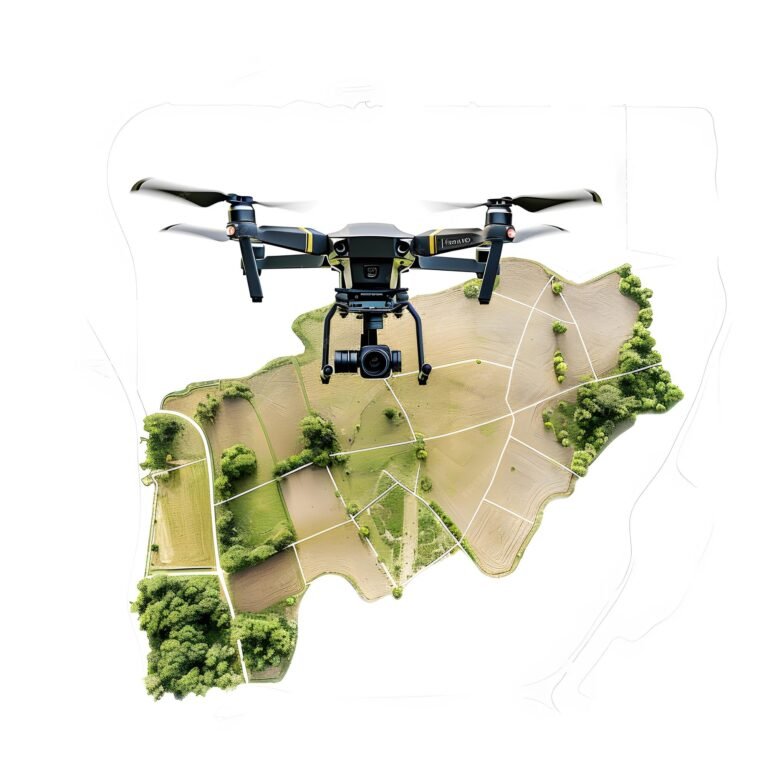
Top-Down Drone Shot
The camera points almost directly downward.
Top-down footage creates a completely different visual perspective.
Useful for:
- Plot layouts
- Roads
- Swimming pools
- Sports tracks
- Construction sites
- Agricultural land
- Parking areas
- Architectural patterns
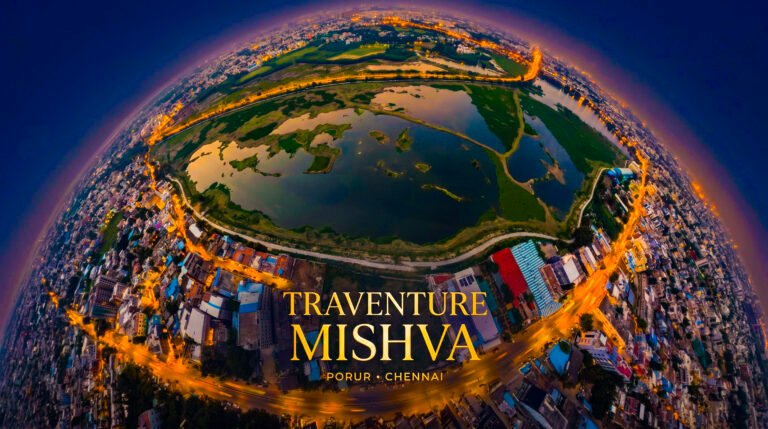
For real estate marketing, a top-down shot can be combined with ground footage, 360° imagery and traditional aerial shots to explain the property more clearly.
Combining Drone Movements for Commercial Videos
Professional drone cinematography doesn’t mean using every movement in one video.
Instead, combine different movements to create a visual sequence.
Example: Real Estate Advertisement
Shot 1 — Establishing Shot
Wide aerial view of the project.
↓
Shot 2 — Push-In
Move toward the entrance.
↓
Shot 3 — Low Tracking Shot
Move along the internal road.
↓
Shot 4 — Close Orbit
Circle the hero villa.
↓
Shot 5 — Ascending Reveal
Rise above the property.
↓
Shot 6 — Pull-Back
Reveal the surrounding location.
↓
Shot 7 — Top-Down
Show the complete layout.
↓
Shot 8 — High Pull-Back
End with a wide cinematic view.
This gives the editor enough visual variety to create a professional property advertisement.
DJI Cine Mode for Smooth Cinematic Footage
For cinematic filming, smoother control is usually more important than maximum speed.
DJI’s Cine mode is specifically designed to reduce flight responsiveness by limiting speed and making braking and rotation more gradual. This can help produce smoother movements when shooting video.
For cinematic work, the pilot should concentrate on:
- Gentle stick inputs
- Smooth acceleration
- Smooth braking
- Consistent yaw
- Controlled gimbal movement
- Maintaining the subject
- Avoiding unnecessary corrections
A cinematic shot should look intentional, not like the drone is struggling to stay in position.
Camera Settings for Cinematic DJI Drone Footage
Flight movement is only one part of the equation.
Good camera settings also matter.
Frame Rate
Choose your frame rate according to the final video.
For example:
- 24/25 fps → cinematic standard-style delivery
- 30 fps → general commercial/social content
- 50/60 fps → slow-motion options
The important thing is to maintain consistency throughout the project.
Shutter Speed
A commonly used starting point is approximately double the frame rate for natural-looking motion blur.
For example:
25 fps → approximately 1/50 shutter
50 fps → approximately 1/100 shutter
In bright outdoor conditions, ND filters can help maintain a suitable shutter speed.
ISO
Whenever lighting permits, keep ISO as low as practical to preserve image quality.
White Balance
Avoid unnecessary automatic white-balance changes during a shot.
A locked white balance helps prevent the footage from suddenly becoming warmer or cooler during a movement.
Foreground Is the Secret to Better Drone Cinematography
One of the easiest ways to improve aerial footage is to stop thinking only about the subject.
Think about three layers:
Foreground
Trees, walls, gates, buildings or other nearby objects.
Middle Ground
Your main subject.
Background
Skyline, mountains, roads, cityscape or landscape.
When these layers move relative to one another, the viewer gets a stronger sense of depth.
DJI also recommends using foreground, middle-ground and background elements to create layers and parallax, particularly when working with longer focal lengths.
Common Mistakes That Make Drone Footage Look Amateur
Even an expensive DJI drone can produce poor footage if the pilot makes these mistakes.
❌ Flying too fast
Fast movement can make footage difficult to use in commercial editing.
❌ Excessive yaw
Constantly rotating left and right can make viewers uncomfortable.
❌ Too many movements in one shot
Don’t combine:
Orbit + rise + descend + zoom + tilt + rotation
just because the drone can do it.
A shot usually looks better when it has one clear movement idea.
❌ Ignoring the background
A beautiful building can still look ordinary if the composition is poor.
❌ Automatic exposure changes
Brightness changing halfway through the shot can ruin an otherwise good take.
❌ No beginning or ending hold
Start recording before the movement and hold the final frame briefly after completing it. This gives editors more flexibility.
❌ Flying too close to obstacles
Cinematic footage is never worth compromising flight safety.
Cinematic Drone Moves for Different Industries
| Industry | Best Drone Movements |
|---|---|
| Real Estate | Orbit, Push-In, Pull-Back, Rise Reveal |
| Villas | Close Orbit, Low Orbit, Pull-Back |
| Hotels & Resorts | Ascending Reveal, Orbit, Tracking |
| Construction | Top-Down, Rise Reveal, Pull-Back |
| Industrial | Side Tracking, Orbit, High Reveal |
| Sports | Tracking, Lead Shot, Top-Down |
| Events | High Reveal, Orbit, Pull-Back |
| Farm Land | Top-Down, Ascending Reveal, Wide Pull-Back |
| Automotive | Low Tracking, Orbit, Parallax |
| Commercial Ads | Push-In, Parallax, Orbit, Reveal |
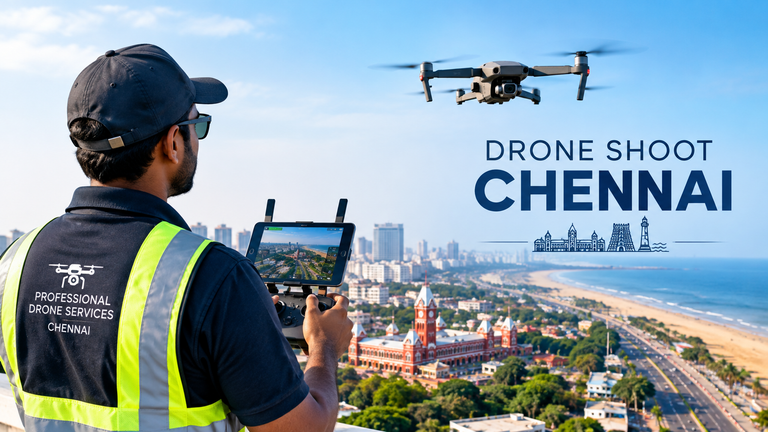
Professional DJI Drone Videography in Chennai
A cinematic drone video is not simply about owning a DJI drone.
It requires flight planning, composition, camera control, safe flying, lighting, movement design and professional editing.
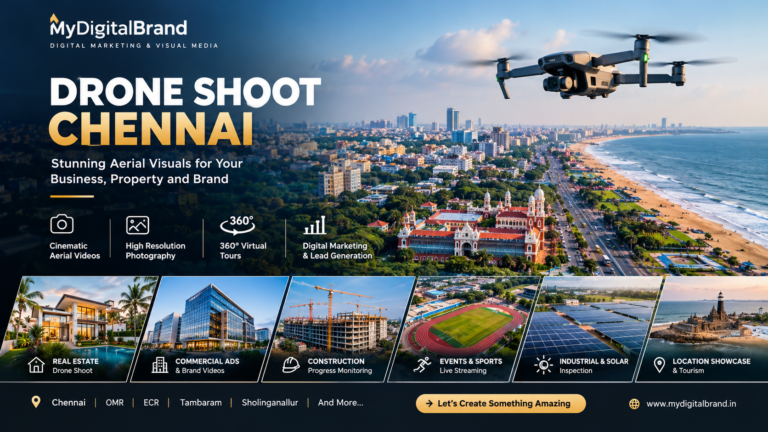
At MyDigitalBrand, we combine drone cinematography with commercial video production and digital marketing to create content designed not only to look impressive but also to promote a business, property or brand.
Our drone video services can be used for:
- 🏠 Real Estate Drone Shoots
- 🏗️ Construction Progress Videos
- 🏨 Hotel & Resort Promotions
- 🏭 Factory & Industrial Videos
- 🏫 School & College Promotions
- 🏃 Sports & Event Coverage
- 🌾 Farm & Land Videos
- 🚗 Automotive Promotions
- 📢 Commercial Advertisements
- 📱 Instagram Reels & YouTube Shorts
Instead of delivering only aerial footage, the objective can be to turn the footage into a complete marketing asset — including cinematic editing, social-media formats, advertising creatives and digital marketing campaigns.
Final Thoughts
The best cinematic drone movement is not necessarily the most complicated one.
A slow push-in, clean orbit, smooth reveal or well-composed pull-back can often create a stronger commercial shot than a complicated combination of movements.
The secret is simple:
Plan the shot → choose the movement → fly smoothly → maintain composition → capture clean footage → edit with purpose.
With the right technique, DJI drones can produce powerful aerial visuals that transform ordinary properties, locations and businesses into high-impact cinematic content.
For professional cinematic drone shoots in Chennai and across Tamil Nadu, MyDigitalBrand can combine aerial cinematography with commercial video production and digital marketing to help turn your footage into content that attracts attention and generates business.
MyDigitalBrand – Professional Drone Shoot & Digital Marketing Services.